
Download Sophia – font preview, font manager, font viewer, quick font preview, HTML font list
Overview
Sophia is a lightweight, productivity-focused application designed for users seeking a rapid and efficient way to preview all fonts installed on their computer. Unlike more complex tools such as Microsoft Word or Adobe Photoshop, Sophia streamlines the process of accessing and reviewing fonts without unnecessary overhead. Its primary purpose is to eliminate the need to open heavy software just to view font samples, making it ideal for designers, developers, and content creators who frequently switch between typefaces. The app targets users who value speed, simplicity, and direct access to their font libraries.
Developed by Thomas P. Larson, Sophia has been available since 2013, indicating a long-standing presence in the niche category of font management tools. Though the developer did not provide additional technical details about the app’s architecture or future roadmap, its continued availability suggests reliability and consistent functionality. Real-world use cases include quick font comparisons during design projects, generating HTML previews for web development, and organizing personal or professional font collections. In the broader app ecosystem, Sophia fills a specific gap by offering a minimal yet powerful solution for font browsing—proving that small, focused tools can deliver significant value without bloat.
Key Features & Functionality
- Quick Font Preview: Sophia enables users to instantly view all installed fonts on their system, bypassing the need to launch larger applications. This feature is particularly useful during design workflows where rapid font selection is essential.
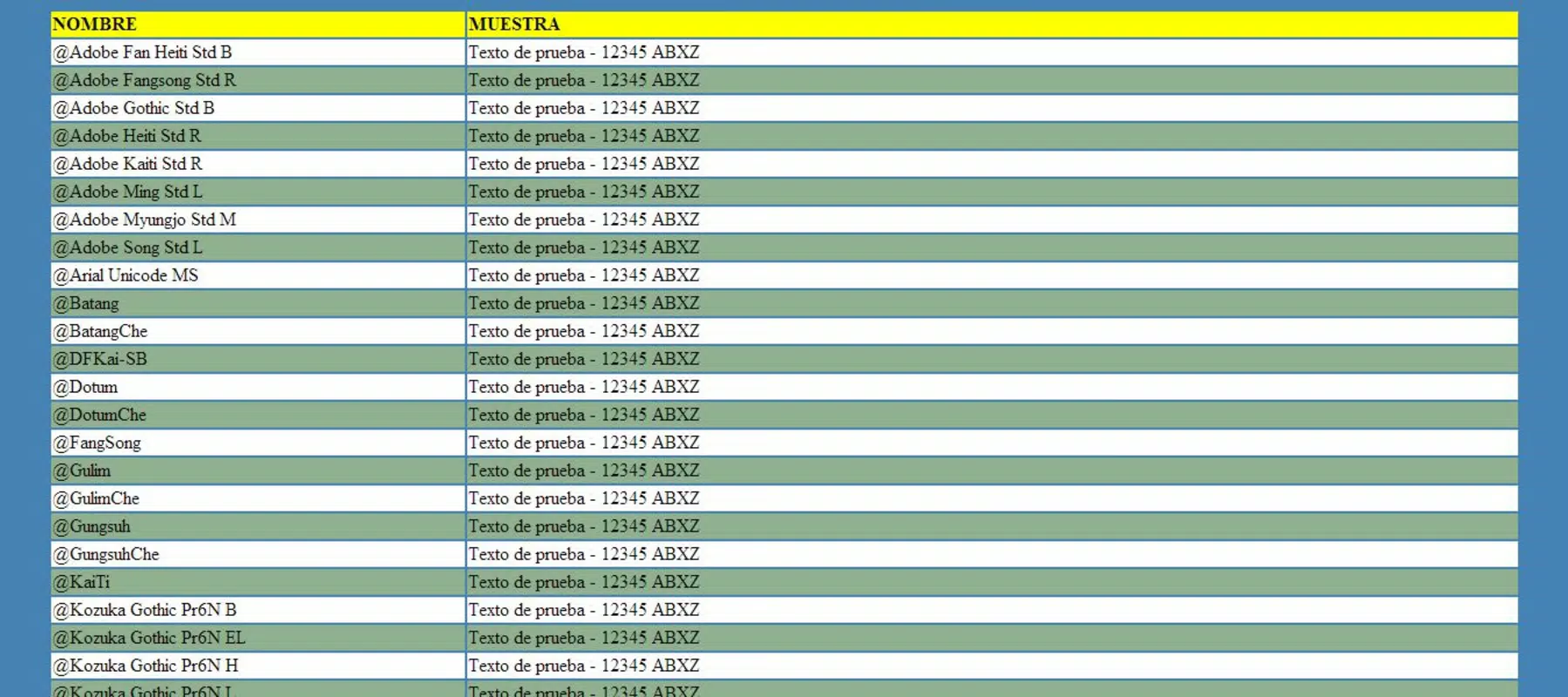
- HTML List Generation: With a single click, the app generates a complete HTML list of all fonts, complete with visual samples. This functionality supports developers and designers who need to integrate font previews into web pages or documentation.
- Lightweight and Fast: At just 1.5 MB, Sophia is designed for speed and efficiency. Its minimal footprint ensures it opens almost instantly, without impacting system performance or slowing down other tasks.
- User-Friendly Interface: The app features an intuitive layout that allows users to browse through their font library with ease. Navigation is straightforward, requiring no learning curve for new users.
- Instant Accessibility: Once installed, Sophia provides immediate access to the user’s entire font collection. There is no need to configure settings or load external resources—fonts are available at a moment’s notice.
For example, a web designer can use Sophia to compare serif and sans-serif fonts in seconds, then export the results as an HTML snippet to share with a client or integrate into a project. Similarly, a developer managing a custom font stack can generate a live preview page directly from the app, reducing manual effort.
Interface, UX & Performance
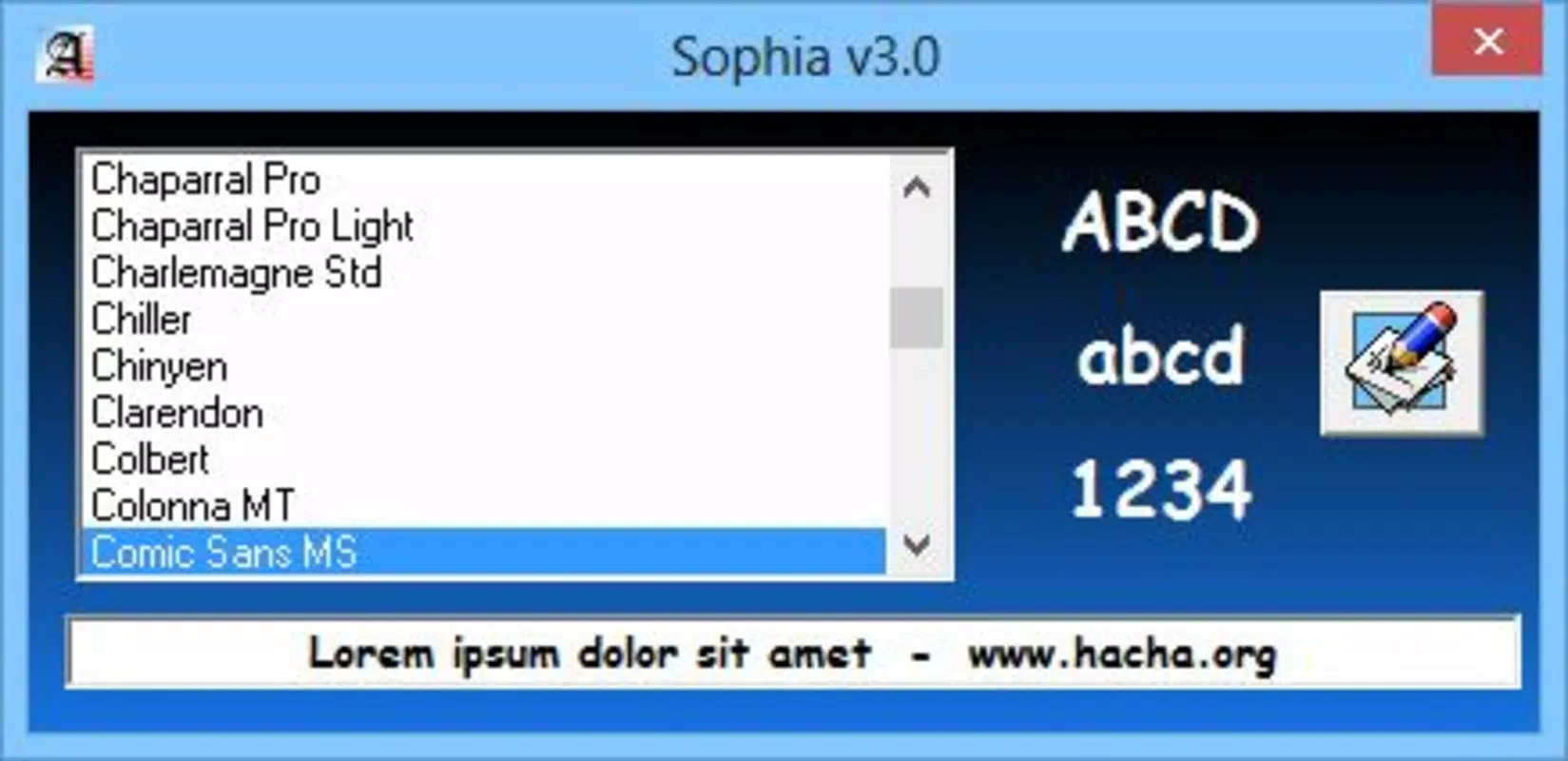
Sophia’s interface is designed with simplicity and efficiency in mind. The layout is clean and uncluttered, focusing solely on displaying font names and visual samples in a clear, organized manner. Navigation is linear and intuitive, allowing users to scroll through their font library with minimal interaction. The app’s visual style is minimalistic, prioritizing functionality over decorative elements.
Performance-wise, Sophia is optimized for speed. The developer did not list formal performance metrics, but its small file size and instant launch suggest strong responsiveness across various device categories. Although the developer did not specify minimum OS requirements, the app’s lightweight nature implies compatibility with older Windows systems.
Stability appears consistent, as the app has remained in use since its 2013 release. Responsiveness is maintained during font rendering, with no noticeable lag even when displaying a large number of typefaces. The user experience is smooth and distraction-free, aligning with its core purpose of quick access and efficient browsing.
Platform Compatibility & Technical Requirements
Sophia is available exclusively on the Windows platform. The current version is 1.0.0, with a file size of 1.5 MB. The app is free to download and use, making it accessible to a wide range of users. The developer did not specify minimum OS requirements, nor did they provide details about hardware specifications or compatibility with different Windows versions.
Given its release date in 2013 and lightweight design, Sophia likely runs on Windows 7 and later. However, users should verify compatibility with their specific system configuration. The app does not require installation of additional dependencies, which contributes to its ease of deployment. While no official updates have been mentioned, the app’s continued availability suggests ongoing basic support.
Pros and Cons
Pros
- Extremely lightweight at just 1.5 MB
- Instant startup and fast font preview
- Simple, intuitive interface with minimal learning curve
- Generates HTML lists with font samples for web use
- Free to download and use without ads or in-app purchases
Cons
- Platform limited to Windows only
- No official update history or release notes provided
- Developer did not list minimum OS or hardware requirements
- Limited to font preview and HTML export—no advanced management features
- App has not been updated since 2013, raising compatibility concerns on newer systems
FAQ
Is Sophia safe to download and install?
Yes, Sophia is a free application developed by Thomas P. Larson. It does not contain ads, malware, or intrusive permissions. Its small size and straightforward function reduce the risk of security issues.
Can I use Sophia on macOS or Linux?
Currently, Sophia is only available for Windows. There is no official version for macOS or Linux.
Does Sophia require an internet connection?
No, Sophia operates entirely offline. All font previews and HTML generation occur locally on the user’s device.
How do I generate an HTML list of my fonts?
Simply open Sophia, and use the built-in feature to export all installed fonts into an HTML file. The list includes font names and visual samples, ready for use in web projects.
Is Sophia still being updated?
The app was released in 2013, and no recent updates have been documented. While it remains functional for basic use, users should consider compatibility with newer Windows versions.
Final Thoughts
Sophia remains a niche but valuable tool for users who need a fast, no-frills way to preview and manage their installed fonts. Its lightweight design, instant access, and HTML export feature make it a practical choice for designers and developers seeking efficiency. While the lack of updates and platform limitations are notable drawbacks, its core functionality remains intact. For those working on Windows and needing a reliable font viewer, Sophia delivers a focused experience without unnecessary complexity. Its free status enhances its accessibility, making it a solid utility for anyone managing digital typography.
Download Sophia now


